Restaurant Receipt Generator
Create an itemized restaurant receipt with menu items, subtotal, tax, tip, payment details, and optional branding. Print or export a PDF instantly.
Create an itemized restaurant receipt with menu items, tax, tip, totals, and payment details. Download a PDF for meal records or reimbursements.

Choose
Restaurant Receipt selected

Customize
Fill in your details

Download
Save or share receipt
Edit the details once and the preview updates instantly.
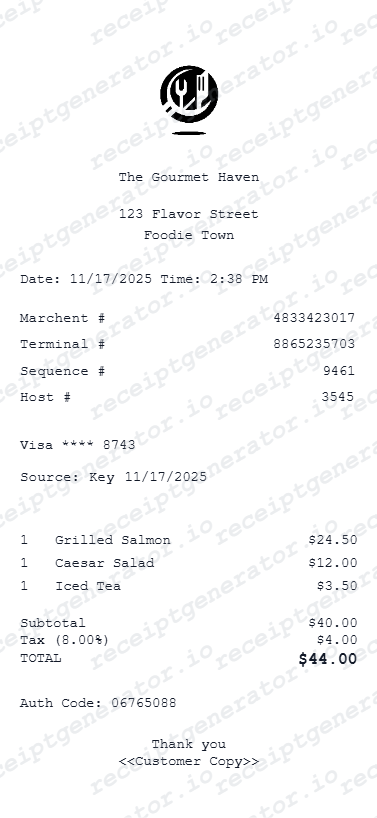
Quick summary
Restaurant receipt template overview
Use this Restaurant receipt generator to create authentic itemized receipts with editable products, tax calculations in $, and printable PDF export.
What Is on a Real Sit-Down Restaurant Receipt?
A full-service dining receipt follows a predictable anatomy built around table service - here is what a real one includes from header to gratuity.
Server name and table number
Full-service receipts identify the assigned server and the table or check number, since the bill is tied to a specific server section - this is what distinguishes a sit-down check from a counter-service ticket.
Course-by-course itemization
Real dining checks often group items by course (appetizers, entrees, desserts, beverages) or at minimum list each dish and drink as its own line with modifiers - shared plates, substitutions, and add-ons print as separate lines under the relevant dish.
Subtotal, tax, and tip as three distinct lines
The subtotal reflects food and drink before tax; sales tax is calculated on that subtotal; tip or gratuity is calculated separately and is not taxed - these three numbers always appear as separate lines before the grand total, never combined.
An automatic gratuity line for large parties
Most full-service restaurants add a mandatory gratuity (commonly 18-20%) for parties above a set size (often 6-8 guests), printed and labeled explicitly as an included gratuity so it isn't confused with an optional tip line.
A signature line and tip line on the card copy
The merchant copy of a card payment includes a blank tip line and a signature line above the final total field, letting the guest write in the tip amount by hand even when the itemized total was already calculated at the table.
Split-check indicators for shared tables
When a table splits the bill, each printed check shows a portion label (e.g. 'Check 1 of 3') along with just that guest's items and their share of shared plates and tax - full-service POS systems track this explicitly rather than dividing evenly by default.
Create a print-ready restaurant receipt
Edit the layout, watch it update live, then print, download PDF, or email.
Enter Restaurant Details
Enter your restaurant name, address, and contact details.
Add Line Items
Add menu items, quantities, and prices.
Set Tax and Tip
Set your tax rate and tip amount - totals update automatically.
Preview and Export
Preview your receipt live, then print or download as PDF.
Get Your Original Restaurant Receipt First
Ask the restaurant for a reprint using the visit date, approximate time, table number, or server name - most full-service POS systems can look up a closed check by any of these. Card payments also appear on your bank statement with the restaurant name, date, and total, though the itemized food list only comes from the restaurant's own copy. Use this template when the original is unavailable - a lost paper check, a cash payment, or a location that no longer has the closed check on file.
Business meal records
Keep itemized restaurant receipts ready for team meals, client lunches, and work-related dining records.
Reimbursement support
Provide a clear meal receipt with line items, tax, tip, and payment details when expenses need review.
Travel expense documentation
Store restaurant receipts for hotel stays, conferences, and other trip-related meal records.
Bookkeeping and internal records
Organize dining receipts for monthly close, recordkeeping, and business expense tracking.
Restaurant Receipt Formats
Choose the restaurant receipt layout that best fits your dining and documentation needs.
Itemized dining receipt
A full meal receipt with each menu item, quantity, price, tax, and gratuity.
Quick total receipt
A simpler restaurant receipt focused on subtotal, tax, tip, and final total.
Payment summary receipt
A receipt layout that emphasizes payment method, transaction details, and closing totals.
Receipt Guides
Read the supporting restaurant guides to recover meal details, handle reimbursement records, and keep dining documentation cleaner.
How to Get a Restaurant Receipt
Learn where restaurant receipts usually come from and which meal details matter most for your records.
Explore How to Get a Restaurant ReceiptRestaurant Receipt for Taxes
Review the tax-specific documentation rules for itemized business meal receipts and IRS recordkeeping.
Explore Restaurant Receipt for TaxesRelated Other Receipt Templates
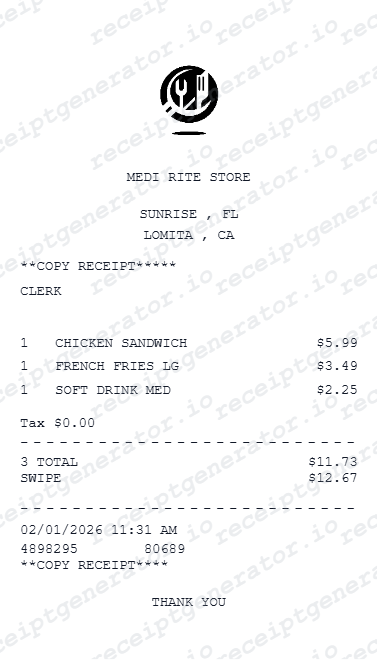
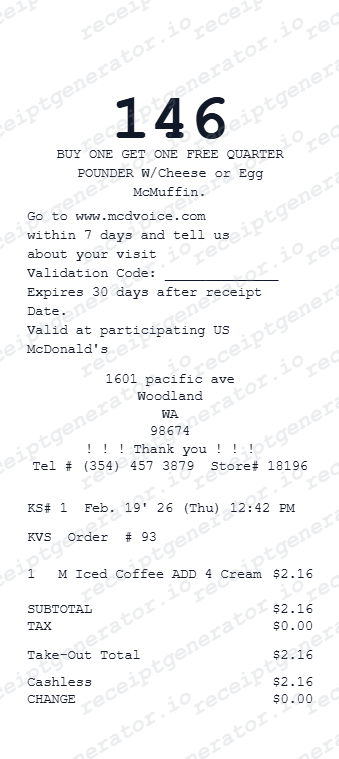
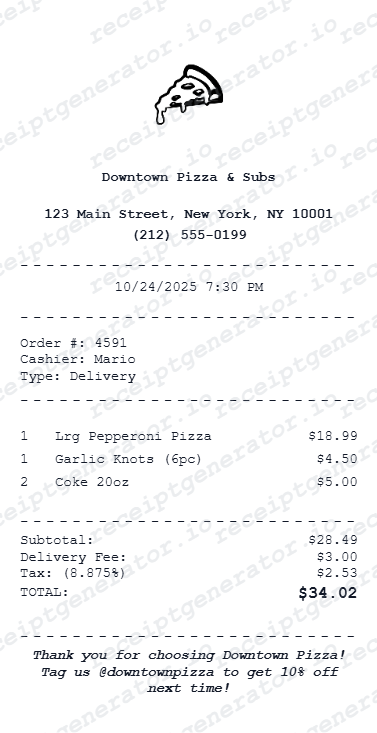
Need a different format? Browse our full library of restaurant and food receipt templates.
Restaurant Receipt FAQ
Common questions about building an itemized restaurant receipt for meal records, reimbursement support, and bookkeeping.
Enter your restaurant details, add menu items with prices, set your tax rate and tip - then preview and download as a PDF receipt instantly.
Yes. Core features are completely free. Premium plans unlock unlimited versions, branded exports, and advanced formatting.
Yes - add as many food and drink items as needed. Subtotals, tax, and tip recalculate automatically.
Store name, date, line items with prices, tax rate, payment method, and any optional notes.
A real dining receipt shows the restaurant name and address, the server name and table number, each food and drink item with modifiers, the subtotal, sales tax, an automatic gratuity line for large parties, and the grand total. The card merchant copy also includes a blank tip and signature line above the final total.
Add the store name, purchase date, line items, totals, tax, payment method, and any optional notes you need on your Restaurant template.
Enter a tip percentage or flat amount alongside your tax rate. The generator calculates and displays accurate totals automatically.
Yes. This tool is designed for documentation, reimbursements, bookkeeping prep, and business meal records.
Yes. Add your restaurant name, address, phone number, and logo details directly in the editor.
Contact the restaurant with the visit date, approximate time, table number, or server name - full-service POS systems can usually look up a closed check by any of these details. If you paid by card, your bank statement confirms the restaurant name, date, and total even without the itemized food list. See our full guide for a complete step-by-step walkthrough.
Recreating a lost receipt for a meal you actually paid is a common, legitimate use for personal bookkeeping. For employer reimbursements or tax deductions, check what your expense policy or accountant requires - some accept a card statement alone, others require the original itemized receipt with attendee names.
Receipt Generator · Receipt Maker · 300+ Free Templates
Create itemized restaurant receipts online in minutes.
Live preview, fast PDF export, and structured dining receipt details for records and reimbursement support.