Wawa Receipt Example
See exactly what a Wawa receipt looks like — including built-to-order hoagie line items, fuel gallons and price per gallon, Wawa Rewards points, and combined food and fuel format.
A real Wawa receipt includes the store number, built-to-order hoagie and deli items with customization details, a fuel purchase section showing gallons pumped and price per gallon, Wawa Rewards points earned, and a combined food and fuel total. This page explains every section of a Wawa receipt and lets you generate one for your own records.

Choose
Wawa Receipt Example selected

Customize
Fill in your details

Download
Save or share receipt
Edit the details once and the preview updates instantly.
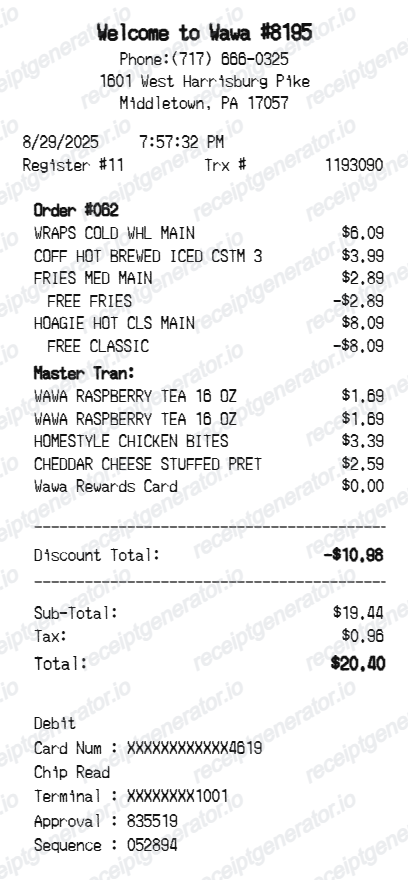
Quick summary
What Does a Wawa Receipt Look Like?
A Wawa receipt is one of the most detailed convenience store receipts because it can cover both fresh made-to-order food and fuel in a single document. Here's what you'll find on a real Wawa receipt:
What's on a Wawa Receipt?
A Wawa receipt is unique among convenience stores because it often covers both built-to-order fresh food and fuel in a single document. Here are the key sections you'll find on a real Wawa receipt.
Store Number and Header
The Wawa receipt starts with the store number, street address, city, state, and phone number, followed by the cashier number, register number, transaction number, and timestamp. The store number is especially important at Wawa because locations vary significantly in size and offerings — some are full-service gas stations with large delis while others are convenience-only stores.
Built-to-Order Hoagie and Deli Items
Food items ordered through Wawa's touchscreen kiosk appear on the receipt with the base item name and an indented list of customizations selected during ordering. A Classic Chicken Hoagie, for example, shows the hoagie size and base price on the first line, with bread choice, chicken type, cheese, vegetables, and condiments each listed as modifier lines. Premium add-ons show a surcharge price.
Fuel Purchase Section
For customers who pumped gas before or after their in-store purchase, the receipt includes a dedicated fuel section listing the pump number, fuel grade, gallons dispensed to three decimal places, price per gallon, and the fuel dollar amount. Wawa Rewards fuel discounts show the discounted price per gallon alongside the savings achieved.
Wawa Rewards Points
Wawa Rewards members see a points summary near the bottom of the receipt showing points earned on food and fuel in the current transaction. The receipt may also display a running total of accumulated points and notify you when you are approaching a reward redemption threshold.
Combined Food and Fuel Total with Tax
The receipt separates the food subtotal and fuel subtotal before calculating tax on applicable items and arriving at a combined grand total. Payment method — credit, debit, Wawa gift card, or cash — is recorded at the bottom along with a transaction ID for customer service reference.
Generate a Wawa Receipt Instantly
Edit the layout, watch it update live, then print, download PDF, or email.
Hoagie Line Items with Customizations
Add built-to-order hoagies and deli items with modifier lines for bread, proteins, toppings, and condiments — just like a real Wawa kiosk order receipt.
Fuel Section with Gallons and Price Per Gallon
Include a fuel purchase section with pump number, fuel grade, gallons dispensed, price per gallon, and fuel subtotal in the correct Wawa receipt format.
Wawa Rewards Points Display
Show Wawa Rewards points earned on food and fuel purchases, with a points balance summary at the bottom of the receipt.
Combined Food and Fuel Totals
Generate a combined receipt that separates food and fuel subtotals before showing a single grand total with tax — matching Wawa's actual receipt format.
Why People Look Up Wawa Receipts
Wawa customers look up their receipts to verify hoagie charges, confirm Wawa Rewards points, document fuel expenses, and reconcile combined food and gas purchases.
Business Meal and Fuel Expense Reports
Use your Wawa receipt to document both meal and fuel expenses during business travel, with the combined format clearly separating each category for expense reporting.
Wawa Rewards Points Dispute
Reference your Wawa receipt when contacting Wawa Rewards customer service to dispute missing points, using the transaction number and points summary printed on the receipt.
Fuel Purchase Documentation
Self-employed workers and delivery drivers use Wawa fuel receipts to document mileage-related fuel expenses for tax deductions or employer reimbursement.
Charge Dispute with Bank
Your Wawa receipt provides the transaction details needed to dispute an incorrect charge with your bank or credit card company, including the transaction ID, amount, and store number.
Types of Wawa Receipts
Wawa issues different receipt formats depending on whether you made an in-store food purchase, a fuel purchase at the pump, or a combined transaction linking both.
Food-Only Receipt
A Wawa food receipt covers in-store deli, hoagie, breakfast, or beverage purchases without any fuel transaction, showing itemized food charges, tax, and total.
Fuel-Only Receipt
A fuel-only Wawa receipt documents a gas purchase at the pump with gallons, price per gallon, grade, and fuel total — often printed directly at the pump without requiring a trip inside.
Combined Food and Fuel Receipt
The combined Wawa receipt covers both an in-store food purchase and a fuel purchase in a single document, with separate subtotals for food and fuel and a combined grand total.
Convenience Store Receipt Guides
Learn more about convenience store and gas station receipts, fuel expense documentation, and how to read your combined food and fuel purchase records.
How to Read a Gas Station Receipt
A complete breakdown of every section on a gas station receipt, from fuel grade and gallons to price per gallon, fuel taxes, and payment method.
Read guideDeducting Fuel Expenses on Your Taxes
How to use gas station and convenience store fuel receipts to document mileage-related deductions for self-employed workers and business travelers.
Read guideConvenience Store Receipts for Business Meals
When a Wawa hoagie counts as a deductible business meal, what documentation you need, and how to record combined convenience store purchases on an expense report.
Read guideRestaurant Receipt for Reimbursement
Learn which meal details usually matter most for expense review.
Read guideRestaurant Receipt for Taxes
Review the restaurant receipt fields that matter most for business meal documentation.
Read guideRestaurant Receipt vs Invoice
Understand which restaurant document is stronger for billing and expense records.
Read guideRelated Other Receipt Templates
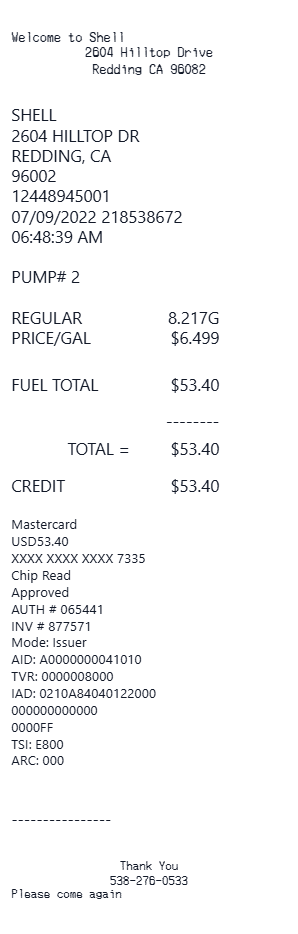
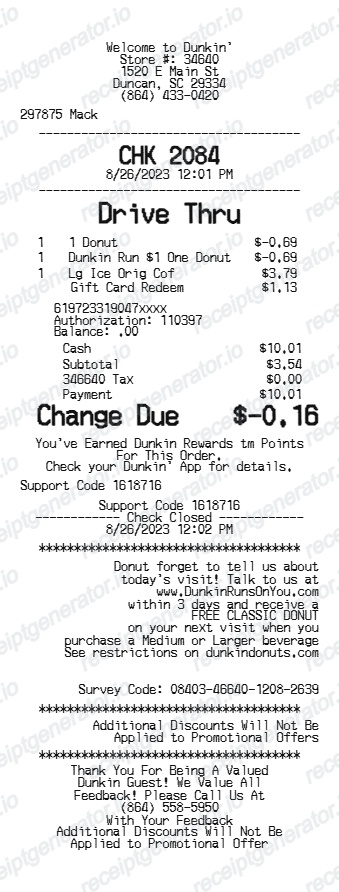
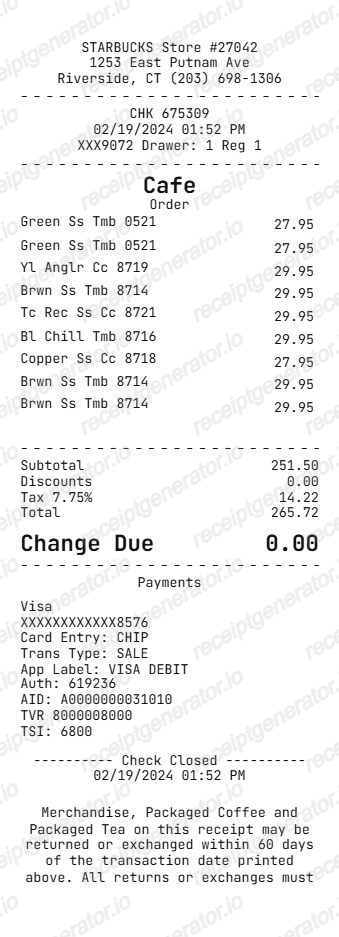
These related receipt examples cover other popular quick-service food and fuel stops — from gas station receipts to coffee chain receipts — that frequently pair with Wawa visits.
Wawa Receipt FAQ
Common questions about what a Wawa receipt looks like, how hoagies and fuel purchases are listed, and how Wawa Rewards points appear on your receipt.
A Wawa receipt starts with the store number and address, followed by a line-by-line breakdown of food items ordered through the touchscreen kiosk — including hoagie size, bread type, proteins, and toppings. If you purchased fuel, the receipt includes a separate fuel section showing the pump number, grade, gallons, price per gallon, and fuel subtotal. The receipt ends with Wawa Rewards points earned, tax, and the combined total.
Built-to-order hoagies appear on a Wawa receipt with the hoagie base name, followed by an indented list of customizations such as bread type, protein additions, cheese, condiments, and any extra toppings. Each customization is listed as a separate modifier line, and additional charge items — like extra meat or premium add-ons — show a price next to the modifier.
The fuel section of a Wawa receipt shows the pump number, fuel grade (Regular, Plus, or Premium), the number of gallons dispensed to three decimal places, the price per gallon, and the fuel subtotal. If you used a fuel discount from Wawa Rewards or a promotion, the discounted price per gallon and the savings amount also appear in this section.
Add the store name, purchase date, line items, totals, tax, payment method, and any optional notes you need on your Wawa Receipt Example template.
Yes, Wawa can print a combined receipt that includes both your in-store food purchases and your fuel purchase on a single document when both transactions are linked through the same payment or Wawa Rewards account. The receipt clearly separates the food subtotal from the fuel subtotal before showing the combined grand total.
Wawa Rewards points earned during the transaction appear near the bottom of the receipt, typically showing the points earned on the current purchase and your cumulative points balance. Fuel purchases earn points at a different rate than food purchases, and both are reflected on the receipt if you made a combined transaction.
Wawa receipts list sales tax on prepared food items such as hoagies, hot foods, and specialty beverages, while most packaged grocery items and beverages may be tax-exempt depending on the state. Fuel taxes are typically embedded in the price per gallon and do not appear as a separate line on the receipt, as they are included in the pump price.
Both. You can use these templates for reimbursements, bookkeeping prep, and internal documentation workflows.
Receipt Generator · Receipt Maker · 200+ Free Templates
Create Your Own Wawa Receipt
Generate a professional Wawa receipt with hoagie customizations, fuel purchase details, Wawa Rewards points, and a combined food and fuel total — ready to download in seconds.