Quick Service Restaurant Receipt Generator
Create a quick service restaurant receipt with itemized orders, combos, tax, and payment. Download a clean PDF for QSR records or fast food expense reimbursement.
Create a quick service restaurant receipt with itemized orders, combos, tax, and payment details. Download a clean PDF for QSR billing records or fast food expense reimbursement.

Choose
Quick Service Receipt selected

Customize
Fill in your details

Download
Save or share receipt
Edit the details once and the preview updates instantly.
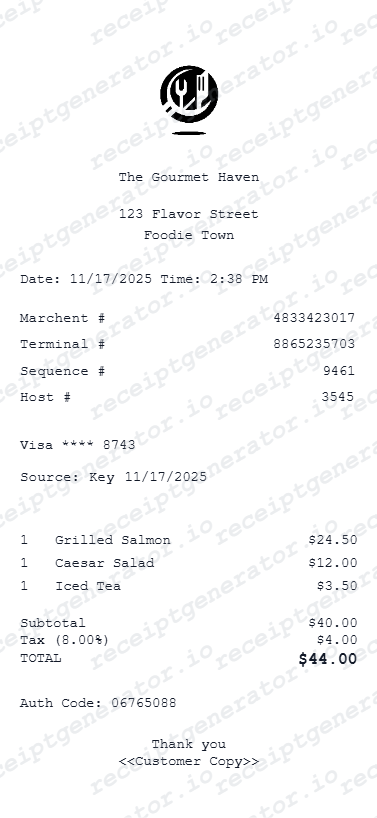
Quick summary
Quick Service receipt template overview
Use this Quick Service receipt generator to create authentic itemized receipts with editable products, tax calculations in $, and printable PDF export.
What Is on a Real Quick Service Restaurant Receipt?
Quick service (QSR) receipts are built around counter ordering rather than table service, so the layout and information they capture differ from a full sit-down restaurant check.
A counter order number instead of a table number
Because there's no assigned table, QSR receipts print a short order number (often just 2-3 digits, resetting through the day) that's called out or displayed on a screen when the order is ready - this replaces the table number used in sit-down formats.
No server name or table section field
Since there's no assigned server, the receipt typically lists only a cashier or register ID, not a server name - and there's no tip line pre-printed for the cashier the way there would be for a table-service check, though a tip prompt may appear on the card terminal screen.
Combo/value meal bundling shown as one priced line
Combo meals print as a single bundled line item (entree + side + drink) with one combo price, rather than the three items being rung up and priced separately - substitutions or upsized sides usually appear as a small modifier charge underneath.
Self-serve drink station means drinks may not be itemized by flavor
At locations with a self-serve fountain station, the receipt often just says 'Fountain Drink' or 'Soft Drink' by cup size rather than listing the specific flavor chosen, since the cashier doesn't select or track the flavor at checkout.
Order-ahead and kiosk orders carry a channel indicator
Orders placed at a self-service kiosk, via the app, or through a drive-thru lane often print a small channel tag (Kiosk, Mobile, Drive-Thru) alongside the order number, since QSR chains track performance separately by ordering channel.
Tax and total print immediately after a short item list
Because QSR tickets are typically short, the tax line and total sit directly under the item list with no subtotal-then-long-wait gap - the whole receipt is designed to print and hand over within seconds of the order being placed.
Print-ready quick service receipts
Edit the layout, watch it update live, then print, download PDF, or email.
Live preview
See orders update as you type.
Quick print
Print compact fast food receipts.
Export PDF
Download clean PDF receipts.
Mobile ready
Create receipts from any device.
Get Your Original Quick Service Receipt First
If you paid by card, check your bank statement for the merchant name, date, and amount. Mobile app or kiosk orders usually keep an order history under your account if you were signed in. For an in-person cash order, ask the counter staff for a reprint using the approximate order time and register number. Use this template when the original is unavailable - a discarded receipt, a cash purchase, or a location that can't pull up an old ticket.
Lost fast food receipt
Recreate quick service meal receipts.
Work expenses
Generate receipts for lunch expenses.
Travel meals
Build receipts for travel food expenses.
Team orders
Create receipts for group fast food runs.
Quick Service Receipt Types
Choose the format for your fast food order.
Combo Meal Receipt
Value meal with drink and side.
A La Carte Receipt
Individual item orders.
Family Meal Receipt
Large orders for family or groups.
Related Guides
Explore related guides to understand the receipt details, lookup steps, and documentation workflows.
Related Other Receipt Templates
More free receipt templates for restaurant and retail expense records.
Quick Service Receipt FAQ
Find answers about creating quick service receipts
Enter restaurant name, add menu items and combos, set tax, and download as PDF.
Include order type (drive-thru, dine-in, takeout) in the receipt details.
Yes, basic quick service receipt features are free.
A real QSR receipt shows the restaurant name and location, a short counter order number instead of a table number, combo meals as single bundled line items, a channel tag if ordered via kiosk or app, sales tax, and the total - all printed within seconds of ordering, with no server name or tip line the way a sit-down check has.
Add the store name, purchase date, line items, totals, tax, payment method, and any optional notes you need on your Quick Service Restaurant template.
Yes, add combo items with bundled pricing for value meals.
Yes, add extra items like drinks, fries, or desserts as line items.
Check your bank or card statement for the merchant name, date, and amount if you paid by card. Kiosk and app orders usually have an order history if you were signed in. For a cash counter order, ask staff for a reprint using the approximate time and register - most POS systems keep same-day transactions on file.
Many quick service locations use a self-serve fountain station, so the register only tracks the cup size at checkout - the specific flavor is chosen by the customer at the fountain and isn't itemized on the printed receipt.
Both. You can use these templates for reimbursements, bookkeeping prep, and internal documentation workflows.
Receipt Generator · Receipt Maker · 300+ Free Templates
Create your Quick Service receipt
Use the editable Quick Service receipt generator to add items, tax totals, and payment details, then export a clean PDF.