Repair Receipt vs Invoice
Ready to create your own? Use our free receipt generator — no account needed.
Generate Repair Receipt →On this page
Repair receipts and repair invoices are related, but they are not always the same thing. The difference usually comes down to whether the document confirms the paid service or documents the billed repair work in a more formal way.
For paid-expense documentation, the stronger record is usually the one that clearly preserves the service date, work performed, and amount paid. See IRS Publication 463.
Quick Answer
A repair receipt usually confirms the completed service payment, while a repair invoice is the more formal billing document tied to the work order or service account.
What a Repair Receipt Usually Shows
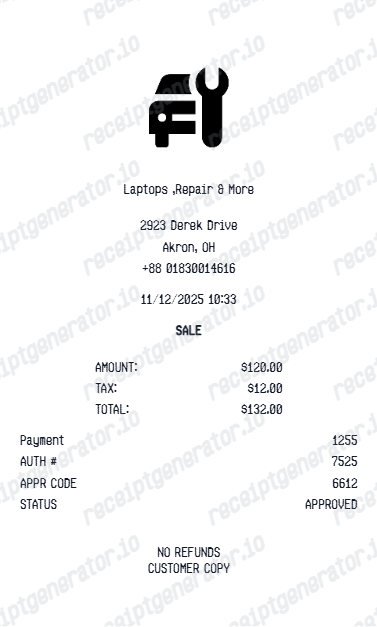
A repair receipt usually focuses on:
- service provider
- service date
- labor detail
- parts detail
- total paid
- payment method
It is often enough for routine service records and reimbursement support.
What a Repair Invoice Usually Shows
A repair invoice usually includes:
- billing detail
- service or work order references
- itemized labor and parts charges
- total due or paid
That often makes the invoice stronger for formal accounting or claims review.
Which One Should You Keep?
If you can, keep both:
- the invoice for formal billing records
- the receipt for quick service reference
If the repair could later support an insurance, warranty, or reimbursement file, keeping both usually makes later verification easier.
If you need a cleaner backup version based on verified service details, use the Repair Receipt Generator.
Create a Cleaner Repair Receipt Record
Use the repair receipt template to organize verified service details into a simple PDF for your files.
Related Guides
Final Takeaway
The invoice is usually the stronger repair document when you need a more formal billing record. The receipt is still useful for quick service and maintenance tracking.
FAQ
A repair receipt usually confirms the completed service payment, while a repair invoice is the more formal billing document tied to the work order or service account.
Both can support service records, but the invoice is often more formal.
The more formal or itemized document is usually better when extra billing detail matters.
A standard repair receipt is still useful if it clearly shows the completed service and payment details.